Why Gemstones Look Different in Different Light
Understanding why gemstones look different in different light begins with how the light source, the gemstone’s optical properties, and your perception work together.[2][10][6] Most gemstone body color comes from selectively absorbing parts of the incoming light, so changing that light can change the color you see.[10][2] In a faceted diamond, cut and movement also affect the balance of white brightness, rainbow fire, and sparkle.[4]
That difference becomes easier to understand when you separate three observations: the stone’s overall color, how bright it looks, and the flashes that appear as it moves. A change in one does not automatically mean a change in all three.
On this page
Why do gemstones look different under different lights?
A gemstone’s visible color depends partly on the light available to it.[10][2] Think of the incoming light as a palette: the gemstone absorbs some portions, and the light that reaches your eyes creates the color you perceive.[10]
This helps explain why the same stone can look different without anything about the stone itself being altered.[10][2] You are changing one part of the viewing conditions. Your eyes and brain also adapt to different kinds of illumination, which helps a white object continue to look white under different lights.[6] That adaptation is part of the experience, rather than a guarantee that every gemstone will look identical.[6][2]
For a useful comparison, describe what changed. Did the blue become more violet? Did the stone look darker? Did only a few facets throw colored flashes? Those observations lead to different explanations.
What changes between daylight, warm lamps, and LEDs?
A light’s warm or cool appearance is only part of the story.[2] Its mix of wavelengths also matters, so a bulb label alone cannot predict exactly how a particular stone will look.[2]
| Lighting condition | What to pay attention to |
|---|---|
| Indirect daylight | Use it as one comparison view, alongside the indoor light where you wear the piece. |
| Warm indoor light | Look for a change in overall hue as well as brightness. A warm LED may differ from an incandescent lamp.[2] |
| Concentrated spotlights | Notice localized flashes, then check the piece under softer light too. |
| Two LEDs with the same Kelvin rating | Compare the actual result; matching labels do not guarantee matching color rendition.[2] |
Correlated color temperature, measured in Kelvin, describes whether nominally white light looks warmer or cooler.[2] Color rendering describes how objects appear under that light.[2] The Department of Energy notes that LEDs with identical color temperatures can have different spectral power distributions.[2]
A high color rendering index, or CRI, can be useful, but it does not guarantee an identical appearance for every gemstone; the metric has limits, especially with saturated reds.[2] Daylight is also a comparison condition rather than a fixed recipe: sunlight, cloudy skies, and shade are different white-balance contexts in photography.[6]
The practical approach is to compare the actual lights you use, rather than choose a stone by one bulb specification.
Color change and viewing angle are different effects
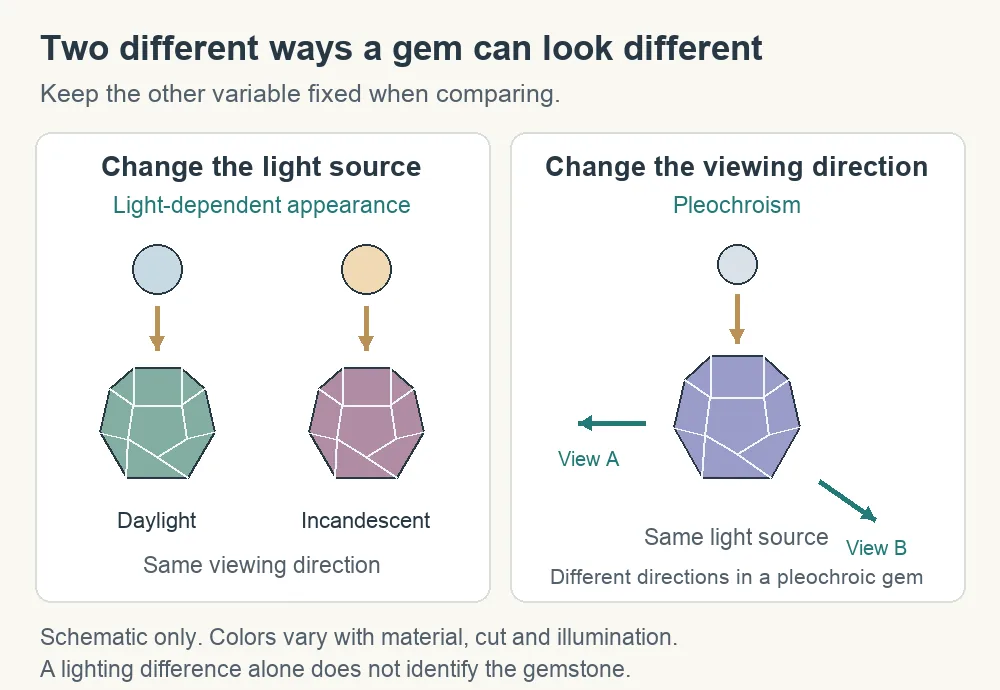
Changing the light source and turning the gemstone can reveal different optical behavior.[1][7] Keeping those actions separate makes a comparison more informative.
Alexandrite: the light source changes
Alexandrite, a variety of chrysoberyl, can appear green or bluish green in daylight and reddish or purplish under incandescent illumination.[1] Its distinctive color change comes from the way the material absorbs light.[1] The familiar green-to-red description is a useful example; compare the individual stone under the actual lamps you use.[1]
Alexandrite can also be pleochroic, but GIA explicitly distinguishes its lighting-driven color change from that separate property.[1]
Tanzanite: viewing direction matters too
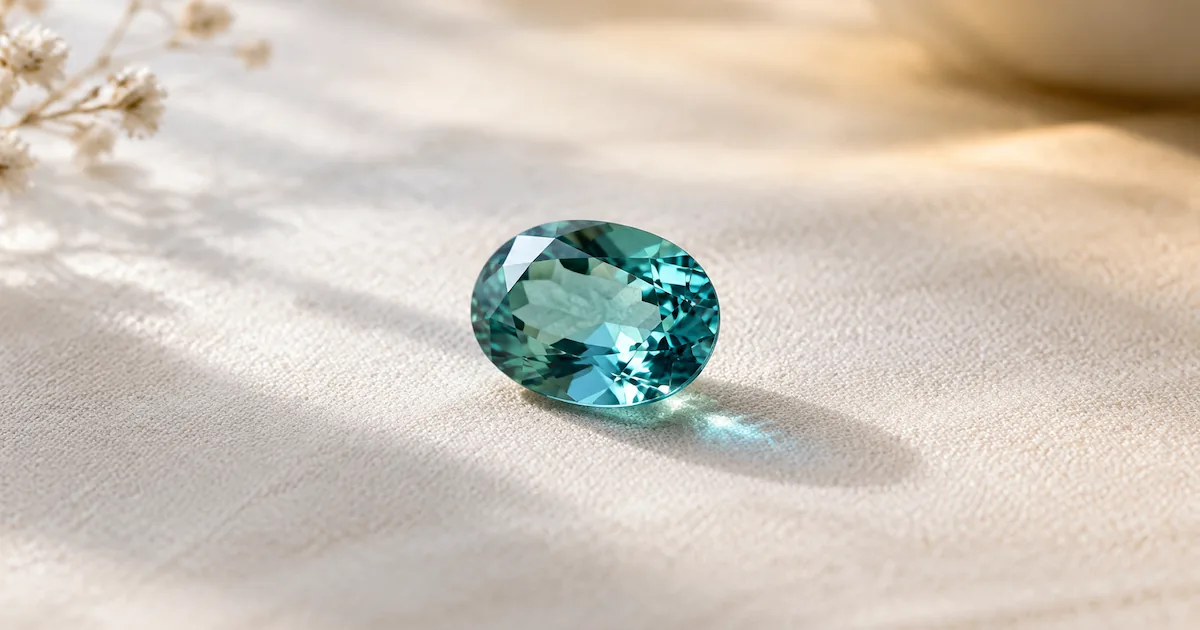
Pleochroism means a gemstone shows different colors when viewed in different crystal directions.[7] In a fashioned tanzanite, blue and violet components can become visible as you gently rock or tilt the stone.[7] The cutter’s chosen orientation helps determine the face-up color.[7]
Lighting adds another influence. GIA describes daylight-equivalent cool lighting as emphasizing tanzanite’s blue, while incandescent warm lighting can make it look more violet to purple.[7]
Try two observations: first keep the stone still and change the light, then keep one light and tilt the stone. This separates the changes for comparison, although it is not a laboratory identification test.
Fluorescence can add light of its own
Some gemstones emit visible light when excited by ultraviolet light, an effect called fluorescence.[5][10] This adds emitted light to the appearance you see.[5]
In some fluorescent diamonds, daylight’s UV component can affect visible color and brightness.[9] That does not mean every fluorescent diamond looks noticeably different in ordinary wear.[5] GIA’s consumer guidance says the overwhelming majority show no widely noticeable appearance effect from fluorescence.[5]
Fluorescence alone is not a quality verdict.[9] GIA’s later research found that fluorescence alone did not noticeably reduce diamond transparency, while light-scattering structural defects and strong fluorescence could interact to increase apparent haziness.[9] The individual diamond and lighting conditions matter.[9]
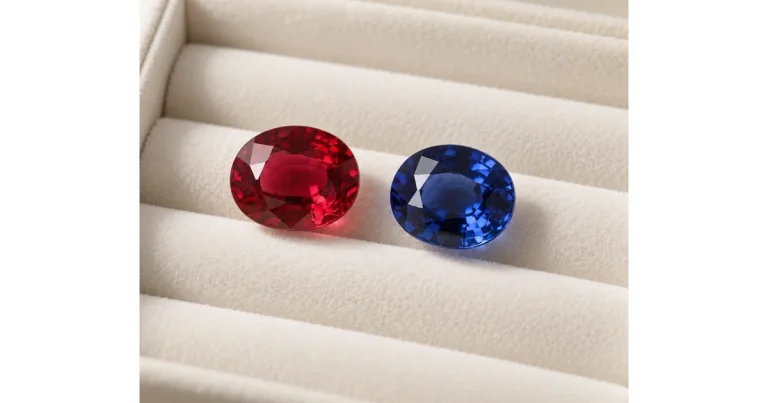
The phenomenon also extends beyond diamonds: fluorescence can contribute to the vivid red appearance of some rubies and red spinels.[10]
Cut and movement change sparkle
A change in sparkle can happen even when a stone’s overall body color appears much the same.[4] In diamonds, facet angles and proportions influence how light travels through the stone and returns toward the viewer.[4]
GIA separates that appearance into several parts: returned white light is brightness; spectral colors produced by dispersion are fire; and changing flashes and light-dark contrast with movement are scintillation.[4]
Concentrated spotlights can make those flashes especially noticeable, which is why GIA recommends comparing diamonds in several environments, including diffuse light and natural daylight.[4] A brief red or blue flash at a facet is a different observation from an overall shift in the stone’s body color.[4][10]
For a closer look at those mechanisms, read WearLumi’s guide to refractive index, dispersion, and rainbow fire.
Opal’s shifting colors have another cause
Precious opal’s play-of-color comes from its internal structure: ordered microscopic silica spheres produce diffraction and a display of spectral colors.[8] The colors and patterns visible from different angles can make a single opal look strikingly different as it moves.[8]
That effect belongs to a different explanation from alexandrite’s lighting-dependent absorption or tanzanite’s pleochroism.[8][1][7] It also has an important limit: precious opal displays play-of-color, while common opal does not.[8]
When comparing an opal, look at it through a range of angles under each light. One still photograph gives you only one view of that display.
Why a gemstone can look different in photos
A photograph introduces additional choices between the gemstone and your eyes. Camera white balance changes how colors are rendered under different lighting, and photo editing can alter the result further.[6][3]
GIA’s photography guidance advises correcting color to match the actual gemstone and avoiding undisclosed changes that misrepresent it.[3] Lighting and staging matter too: diffused lighting softens shadows and provides more uniform illumination for a photograph.[3]
Your screen can introduce another change.[11] On supported Apple devices, True Tone adapts display color and intensity to ambient light, while Night Shift shifts display colors toward warmer tones.[11] Turning off those settings during a comparison may be useful, but it does not turn the screen into a gemstone grading tool.
When shopping online, request an unfiltered video of the exact piece in daylight and ordinary indoor light. Ask what lighting was used. A useful video lets you see the piece held still and then moved gently.
How to compare gemstone color in everyday light
Use a simple comparison that changes one viewing condition at a time. This is a practical way to understand the piece’s appearance and decide whether you enjoy it in your usual surroundings.
- Start with indirect daylight. Place the piece against a plain white or neutral gray background. Look at it directly before checking a photo.
- Keep the position consistent. Note the overall hue, brightness, and any localized flashes. Use the same background and orientation for the next view.
- Change to your usual indoor light. Repeat those observations without deliberately tilting the piece to find its brightest angle. Add another lamp if that is a setting where you often wear jewelry.
- Tilt under one light. Watch how the visible colors and flashes change with angle. Keep this observation separate from the comparison between lamps.
- Record the lighting with any photos. Keep camera settings and framing as consistent as possible, avoid filters, and label each view. Use the images as a record alongside what you saw in person.
If you are choosing a finished piece, you can also use our gemstone setting guide when discussing the design with a jeweler.
A lighting comparison helps you judge appearance. It cannot establish natural origin on its own: synthetic gem materials can share virtually all the optical characteristics of their natural counterparts.[12] If origin or treatment matters to your purchase, request clear documentation and discuss an appropriate gemological report with the seller.
Choose with the light of your own life in mind: the window beside your desk, the room where you get ready, and the places you enjoy wearing jewelry. A stone that appeals to you across those settings gives you more useful information than its most dramatic photograph.
Explore jewelry for your everyday style at WearLumi.
Sources
- Alexandrite Description
- Specifying Today’s Products
- 6 Tips for the Best Gem Photos
- Maximizing Diamond Sparkle: Essential Tips
- Understanding Diamond Fluorescence
- What Is White Balance? | White Balance in Photography Explained
- Tanzanite Description
- Opal Description
- Measurement and Characterization of the Effects of Blue Fluorescence on Diamond Appearance
- Gemmology Insights: What Are The Rarest Colours In Gemstones? | Gem-A
- Adjust the brightness and color temperature on your iPhone or iPad – Apple Support
- An Introduction to Synthetic Gem Materials